Bringing Street Art to the iPad: A Practical Look at Graffiti Brush 3
We have been working with graffiti for a long time, deeply rooted in the analog world of spray cans, concrete walls, and the distinct smell of aerosol. Recently, however, we noticed a significant shift. There is a growing demand for specific materials among artists who want to work with graffiti digitally. As a graffiti artist who focuses almost exclusively on analog artwork, this transition was not immediate. We spent hours dedicated to creating handmade resources in an analog style specifically designed to work digitally in Procreate using the iPad Pro and Apple Pencil.
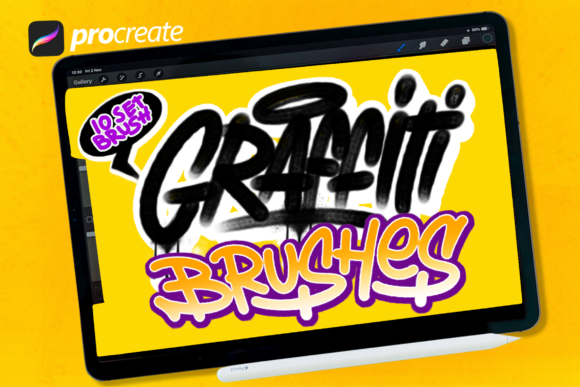
The result of that extensive study is Graffiti Brush 3. We analyzed what works and what does not when translating physical texture to a glass screen, allowing us to create our own extensive brush sets. These sets are complete with drips, splashes, and templates of graffiti tools, offering a perfect possibility for creation. This collection is not just about mimicking a look; it is about capturing the unpredictable nature of street art in a controlled digital environment.
Bridging the Gap Between Analog Soul and Digital Precision
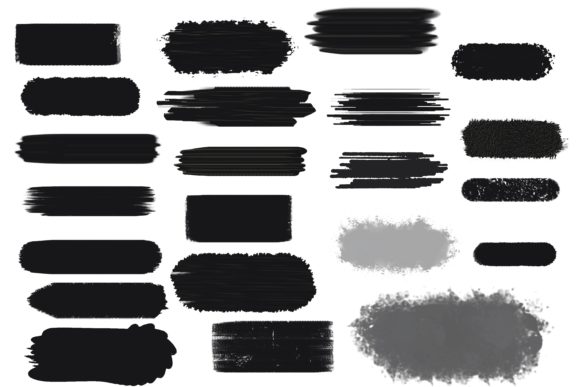
For many creators, the jump from physical media to digital tablets feels sterile. The perfection of vector lines often lacks the grit and character that defines authentic graffiti culture. Graffiti Brush 3 was designed to solve this specific problem. It includes 15 amazing graffiti brushes that make it easier for you to be creative in making digital works with analog touches that look very real.
The core philosophy behind these brushes is imperfection. In traditional graffiti, a drip is not a mistake; it is a signature of gravity and paint viscosity. A splash is not an error; it is evidence of energy. By embedding these organic behaviors into the digital brush engine, we allow users to design anything without any limitations as they wish. Whether you are a seasoned tagger looking to digitize your sketchbook or a graphic designer needing urban flair, the tool adapts to your intent rather than forcing you into a rigid digital mold.
Real-World Applications for Diverse Creators
The versatility of Graffiti Brush 3 means it serves a wide array of users beyond just traditional street artists. Here is how different professionals and hobbyists can leverage these tools in their daily workflows.
Graphic Designers and Marketing Professionals
In the world of commercial design, authenticity sells. Brands targeting younger demographics or those aiming for an "edgy" aesthetic often struggle to find stock assets that do not look generic. With Graffiti Brush 3, marketers and designers can create custom lettering designs, posters, and flyers that feel hand-crafted. Imagine designing a promotional poster for a music festival or a limited-edition sneaker drop. Instead of relying on pre-made fonts that lack soul, you can use these brushes to create unique typographic treatments that stand out. The included drips and splashes add a layer of visual interest that captures attention in crowded social media feeds.
Digital Illustrators and Concept Artists
For illustrators working in Procreate, the challenge is often maintaining a consistent style while speeding up the workflow. These brushes allow for rapid ideation. You can sketch out character designs with urban attire or background elements featuring brick walls and street textures quickly. The realistic texture means less time spent manually adding noise or grain in post-production. It allows the artist to stay in the flow state, focusing on composition and color rather than technical tweaks to achieve a gritty look.
Educators and Workshop Leaders
Teaching typography and street art history has become more accessible with digital tools. Educators can use Graffiti Brush 3 to demonstrate the mechanics of letter formation, shading, and highlighting without the mess and cost of physical supplies. It provides a safe sandbox for students to experiment with bold styles and colors. Furthermore, it allows for easy sharing of assignments and critiques, as digital files can be distributed and annotated instantly.
Why the iPad Pro and Apple Pencil Combination Matters
We specifically optimized these resources for the iPad Pro and Apple Pencil because of the pressure sensitivity and tilt recognition these devices offer. When you press harder with the Apple Pencil, the brush responds with thicker lines and more intense saturation, mimicking the flow of paint from a cap. When you tilt the pencil, you can achieve wide, sweeping fills similar to using the side of a spray can nozzle.
This hardware-software synergy is crucial for achieving the "analog touch" we promise. Without proper pressure mapping, digital graffiti often looks flat. Graffiti Brush 3 leverages the full capabilities of the iPad to ensure that every stroke feels responsive and natural. This makes the learning curve shorter for those transitioning from physical cans to digital screens, as the muscle memory developed in real life translates more effectively.
What to Consider Before You Start Creating
While Graffiti Brush 3 simplifies the process of creating realistic street art digitally, there are practical considerations to keep in mind to get the most out of the tool.
- Understanding Layer Management: Digital graffiti relies heavily on layers. To achieve realistic depth, you should separate your base fills, outlines, highlights, and effects like drips onto different layers. This allows you to adjust opacity and blending modes individually, giving you control over the final look.
- Embracing Imperfection: The biggest hurdle for new digital users is the urge to undo every mistake. Real graffiti is chaotic. Use the splashes and irregular edges to your advantage. Do not strive for pixel-perfect lines; instead, aim for energetic movement.
- Customization: While the 15 brushes are powerful out of the box, Procreate allows you to tweak settings. Experiment with streamline values if you find your hand shaking too much, or adjust the wet mix to change how colors blend on the canvas.
- Resolution Matters: If you plan to print your designs on large posters or flyers, ensure your canvas resolution is high enough (typically 300 DPI) to maintain the crispness of the textures when scaled up.
Unlocking Creative Freedom Without Limitations
The ultimate goal of Graffiti Brush 3 is to remove the barriers between your imagination and the final image. In the analog world, you are limited by location, legality, weather, and material costs. Digitally, you have an infinite wall. You can experiment with neon colors that do not exist in standard spray paint, combine styles that would be physically difficult to execute, and iterate on designs instantly.
This freedom is particularly valuable for entrepreneurs and small business owners who need to produce high-quality visual content regularly. You can create branded merchandise designs, social media graphics, or website headers that reflect a unique, urban identity without hiring an external illustrator for every project. The investment in a quality brush set pays for itself by empowering you to handle these tasks in-house with professional results.
Whether you are looking to refine your digital illustration skills, add a gritty edge to your marketing materials, or simply explore the art form from the comfort of your home, Graffiti Brush 3 offers the tools you need. It respects the heritage of graffiti while embracing the possibilities of modern technology. By focusing on realistic textures and intuitive behavior, it ensures that your digital creations carry the weight and presence of real street art.
Start experimenting with the 15 included brushes today. Test the drips on a bold tag, use the splashes to add background energy, and let the templates guide your initial structures. Soon, you will find that the digital canvas feels just as alive and responsive as the concrete walls that inspired it.